Digitization no longer needs to move through a slow chain of workshops, handoffs, wireframes, design decks, dev teams, QA queues, and deployment meetings.
The new model is sharper.
- Understand the process.
- Map the workflow.
- Write the stories.
- Design the architecture.
- Build with AI agents.
- Verify everything.
- Ship faster.
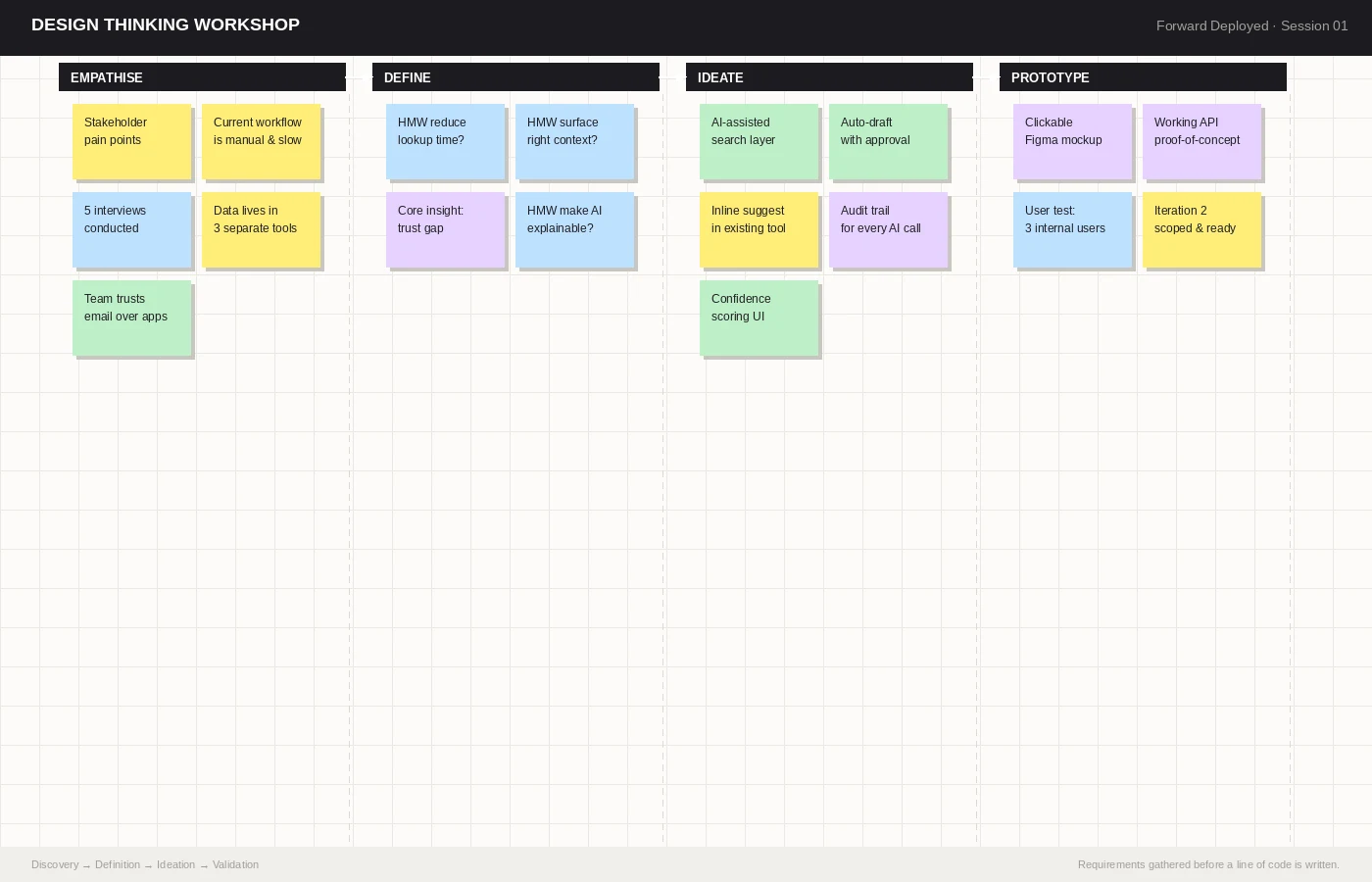
1. Start with the current process
Do not start with screens.
Start with the business process.
Spend 3 to 4 days with the people who actually run the work.
- Where does the process start?
- Who approves it?
- Where does data enter?
- Where do users wait?
- Where do exceptions happen?
- Where does Excel quietly run the company?
This workshop is not about collecting feature requests.
It is about finding the real operating system of the business.
2. Turn the process into mind maps
Once the process is clear, map it visually.
A good mind map shows the documents, users, approvals, systems, dependencies, and exceptions inside the workflow.
This is where hidden complexity becomes visible.
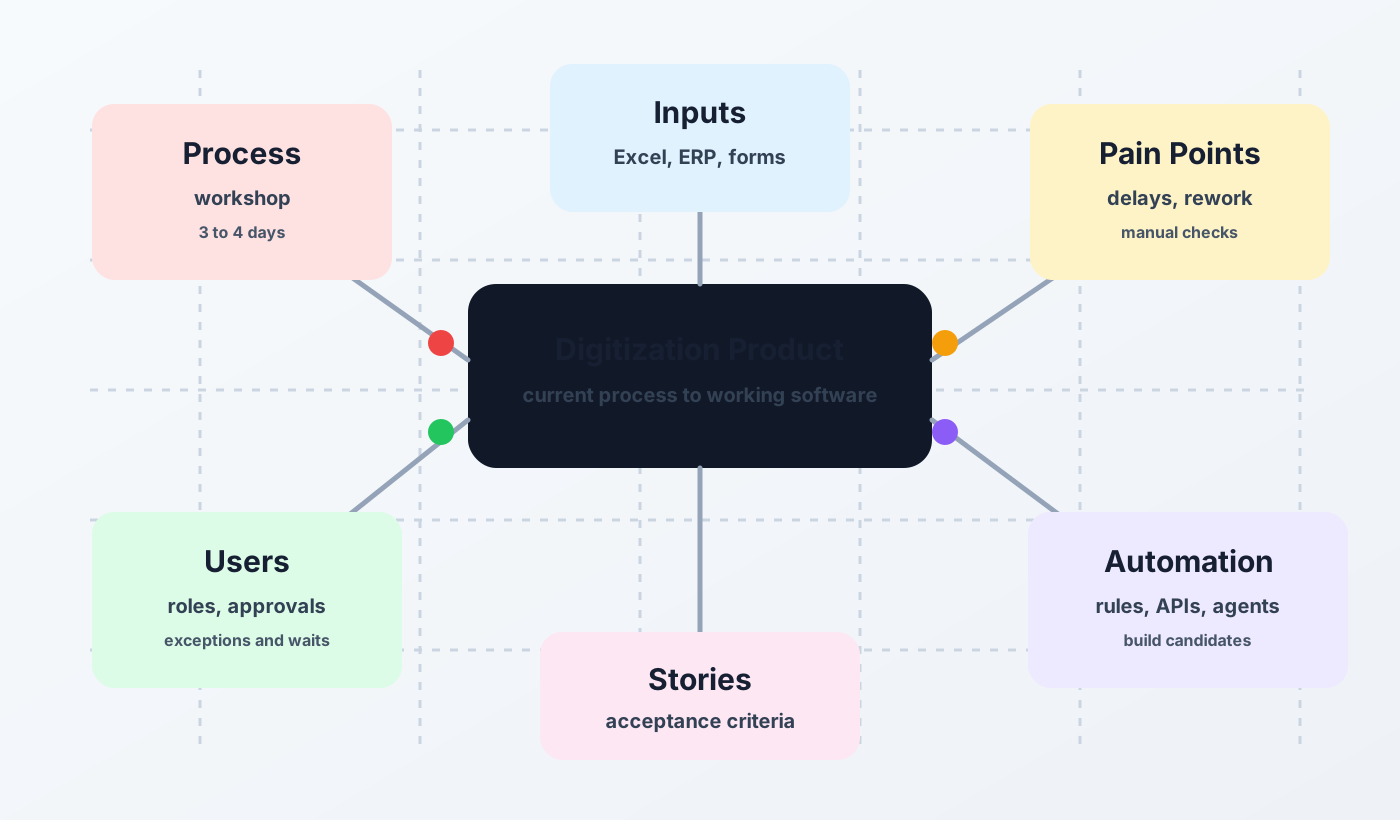
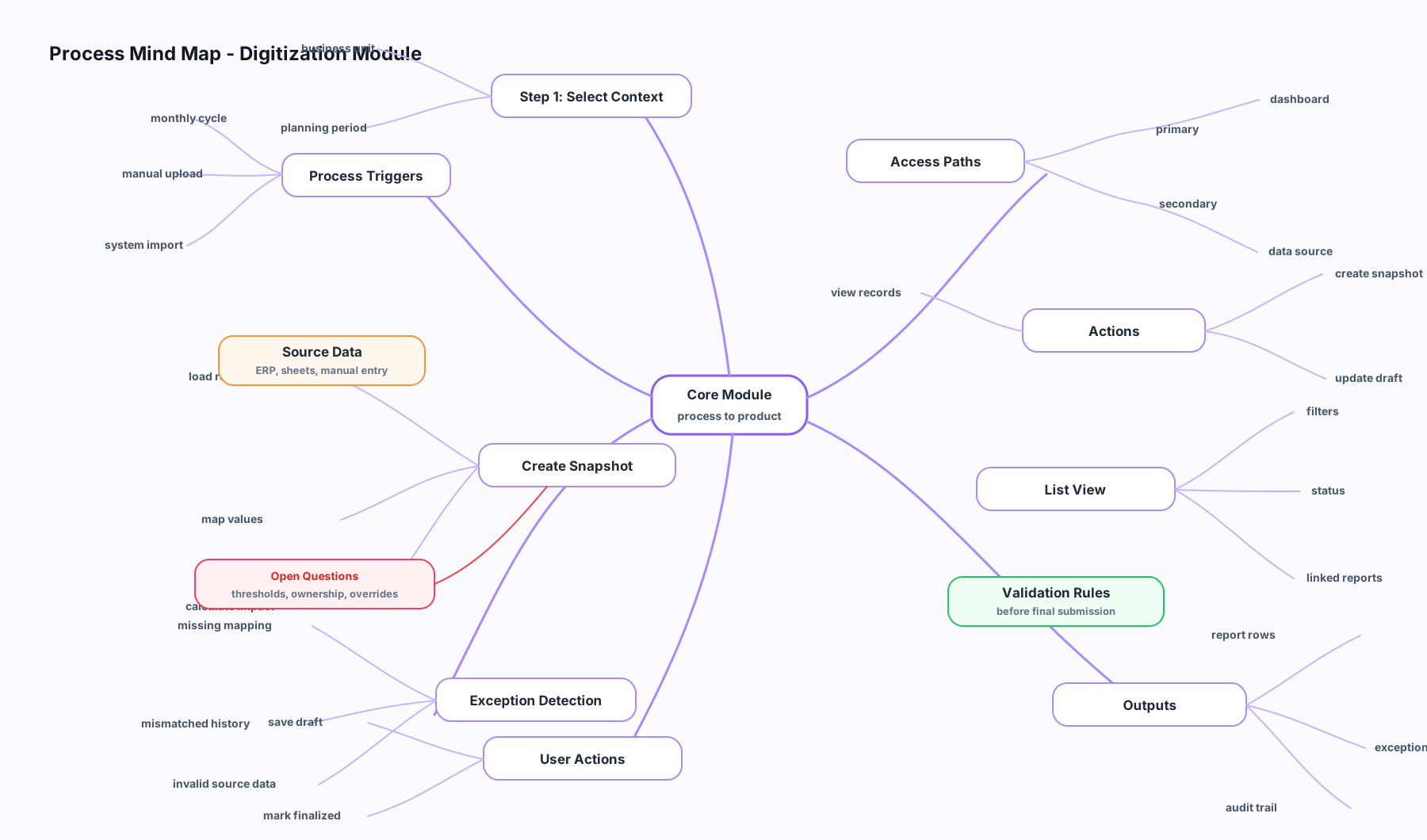
A mind map helps everyone see the same product.
- No long requirement document.
- No vague alignment meeting.
- No guessing what the user meant.
Just the actual work, mapped clearly.
3. Convert the map into user stories
Mind maps explain the process.
User stories explain the product.
Each story should answer four questions.
- Who is the user?
- What do they need to do?
- Why does it matter?
- What proves it works?
A strong story is not a sentence in a backlog.
It is a contract between business understanding and engineering delivery.
Bad story:
Build approval screen.
Better story:
As a plant manager, I need to review and approve material requests with cost, supplier, quantity, and exception notes so purchasing can proceed without follow-up calls.
That story can be designed.
That story can be tested.
That story can be built.
4. Design the system architecture
Once the stories are clear, design the system.
Architecture is where product thinking becomes engineering reality.
- What is the data model?
- What are the main modules?
- Which APIs are needed?
- What integrates with existing systems?
- What needs audit history?
- What needs role-based access?
- What must work on mobile?
- What must never fail silently?
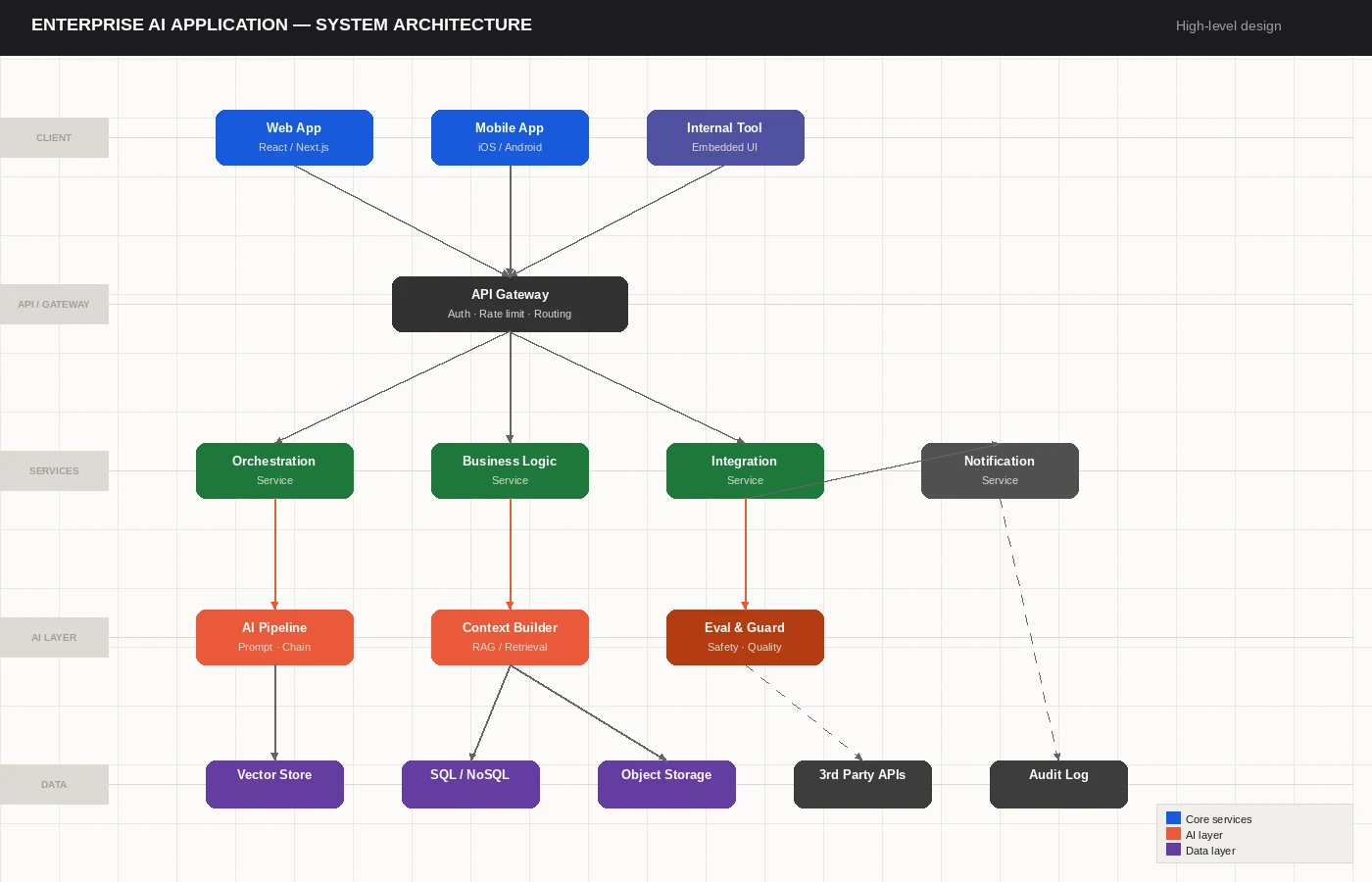
This step matters more in the AI era, not less.
AI can write code quickly.
It cannot rescue a confused architecture.
5. Replace design theater with working product
For many digitization products, static design templates are no longer the center of the process.
Figma still has a place for brand-heavy consumer products, complex design systems, and large teams that need formal handoff.
But for many internal business applications, a working prototype beats a polished mockup.
- AI can generate layouts.
- AI can adjust flows.
- AI can refactor screens.
- AI can change the UI while the product logic evolves.
The best design artifact is often the product itself.
6. Build with AI coding agents
This is where the delivery model changes.
With tools like Cursor, Codex, Claude Code, and AI coding agents, one experienced builder can move across the stack faster than a traditional handoff-heavy team.
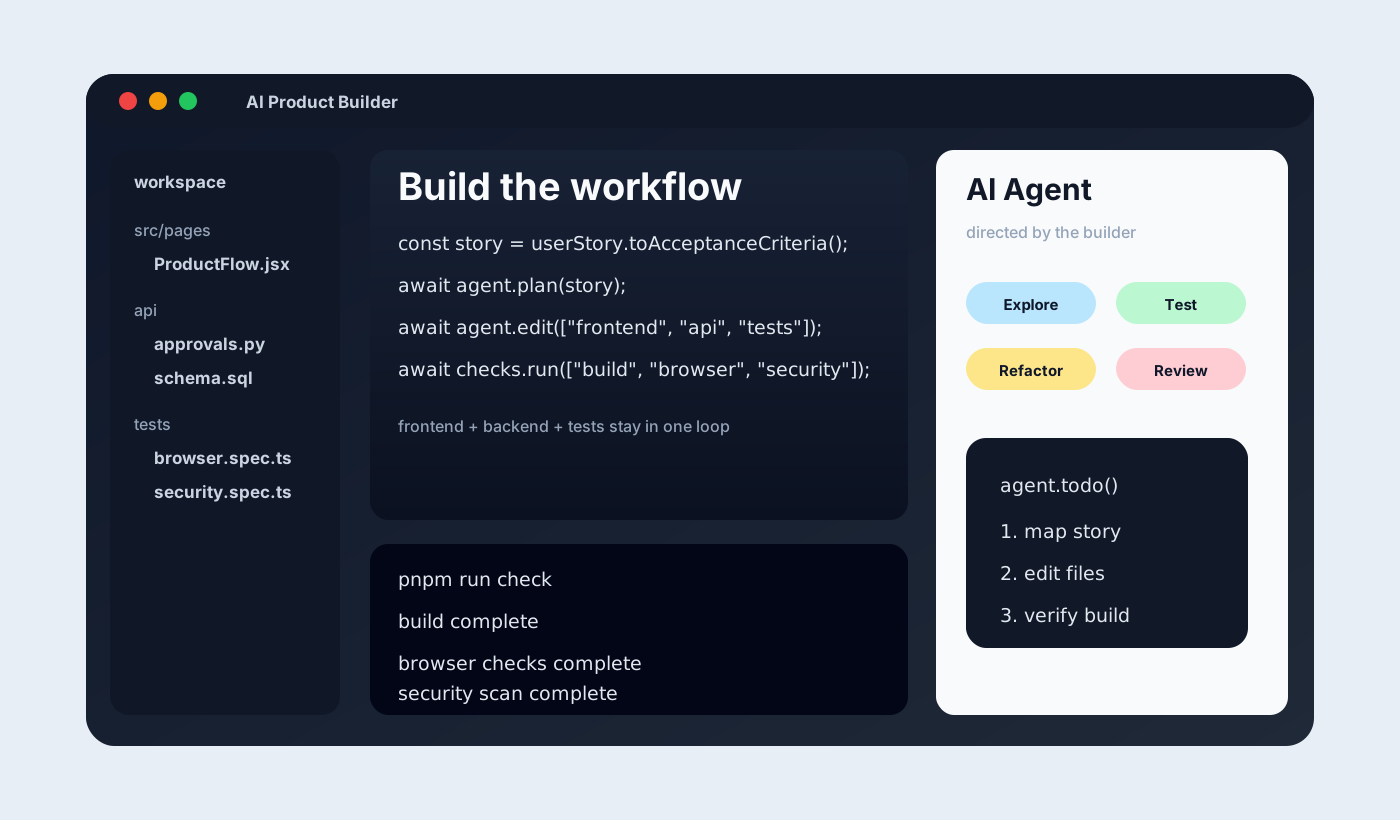
The builder is no longer only writing code.
They are directing agents.
- One agent explores the codebase.
- One writes tests.
- One inspects the database.
- One runs browser checks.
- One reviews security risks.
- One prepares deployment steps.
The human still owns judgment.
The agents compress execution.
7. Use skills, MCP, and plugins as the delivery system
AI coding gets serious when it has tools.
- Brainstorming skills refine requirements.
- Superpowers-style workflows keep planning, debugging, testing, and verification disciplined.
- MCP agents connect AI to databases, browsers, file systems, docs, GitHub, and deployment tools.
- Browser testing plugins verify the product like a user.
- Deployment plugins reduce release friction.
- Security checks catch problems before production.
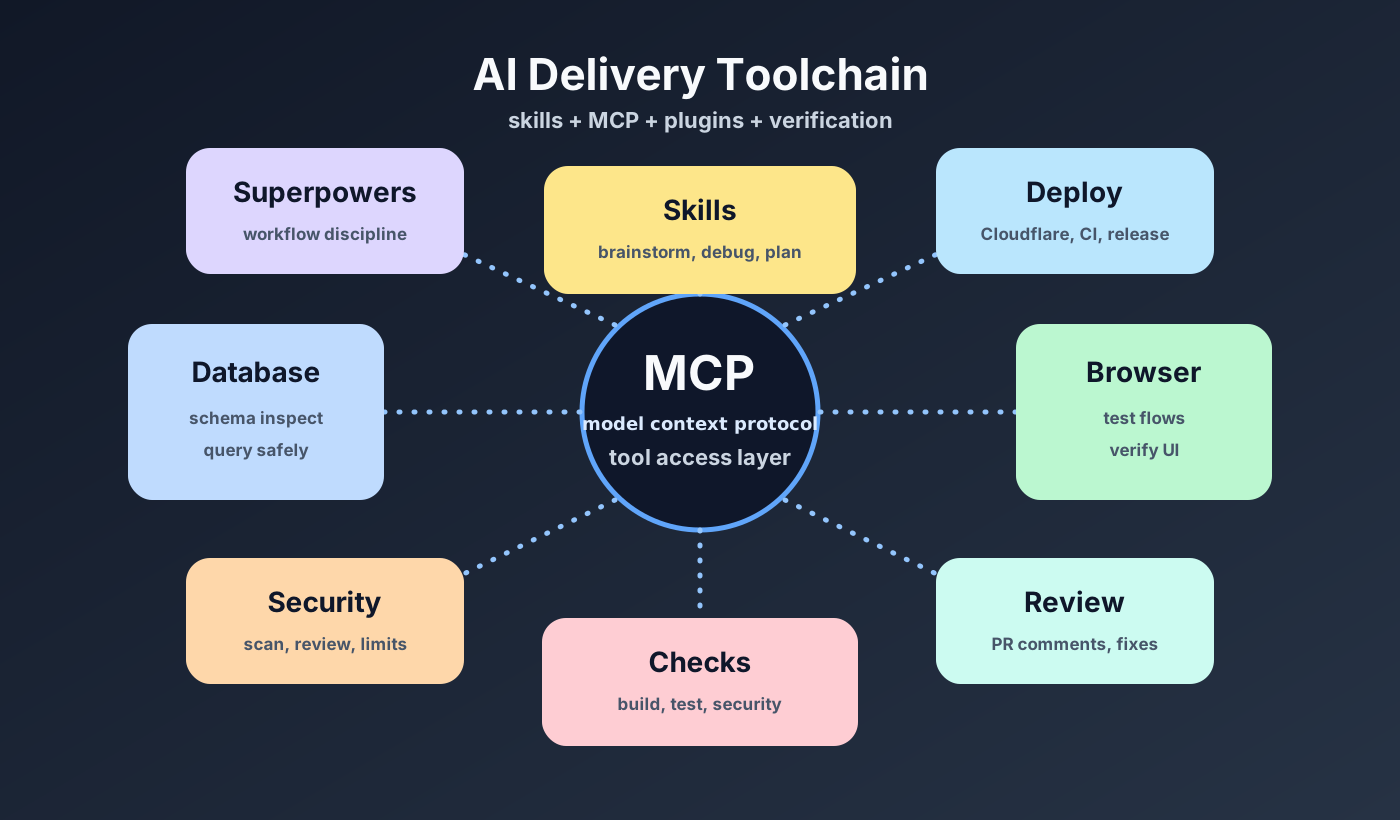
This is the real unlock.
Not AI autocomplete.
AI-assisted delivery infrastructure.
8. Keep strong engineering gates
Speed without checks creates expensive mess.
A proper AI product workflow still needs discipline.
- Build checks.
- Test coverage.
- Security scanning.
- Code review.
- Browser testing.
- Database validation.
- Deployment verification.
- Analytics checks.
- Rollback thinking.
AI makes these checks easier to run.
It does not make them optional.
9. One builder can now do the work of a small delivery squad
Earlier, a digitization product might need a business analyst, UX designer, UI designer, frontend developer, backend developer, QA engineer, DevOps engineer, architect, project manager, and technical lead.
Today, one strong product engineer with AI agents can cover much of that delivery loop.
Not because the work disappeared.
Because the handoffs disappeared.
- The workshop feeds the mind map.
- The mind map feeds the user stories.
- The stories feed the architecture.
- The architecture feeds the agents.
- The agents build, test, verify, and deploy inside a controlled workflow.
That is the new product delivery model.
Final thought
AI does not remove the need for product thinking.
It punishes teams that skip it.
The winners will not be the teams that ask AI to build random screens faster.
The winners will be the teams that understand the process deeply, convert it into clear stories, design the architecture properly, and then use AI agents to compress delivery from months into weeks.
If you are still running digitization through long requirement documents, design handoffs, and oversized delivery teams, the workflow has changed.
The question is no longer whether AI can help build the product.
The question is whether your process is clear enough for AI agents to build the right one.
Taking the workshop into delivery
The useful output is not a larger requirements document. It is a smaller set of product decisions that can survive contact with implementation. The use-case guide helps frame the business situation before choosing a technical path. My MVP and product engineering work keeps discovery, architecture, and delivery with one accountable technical owner.