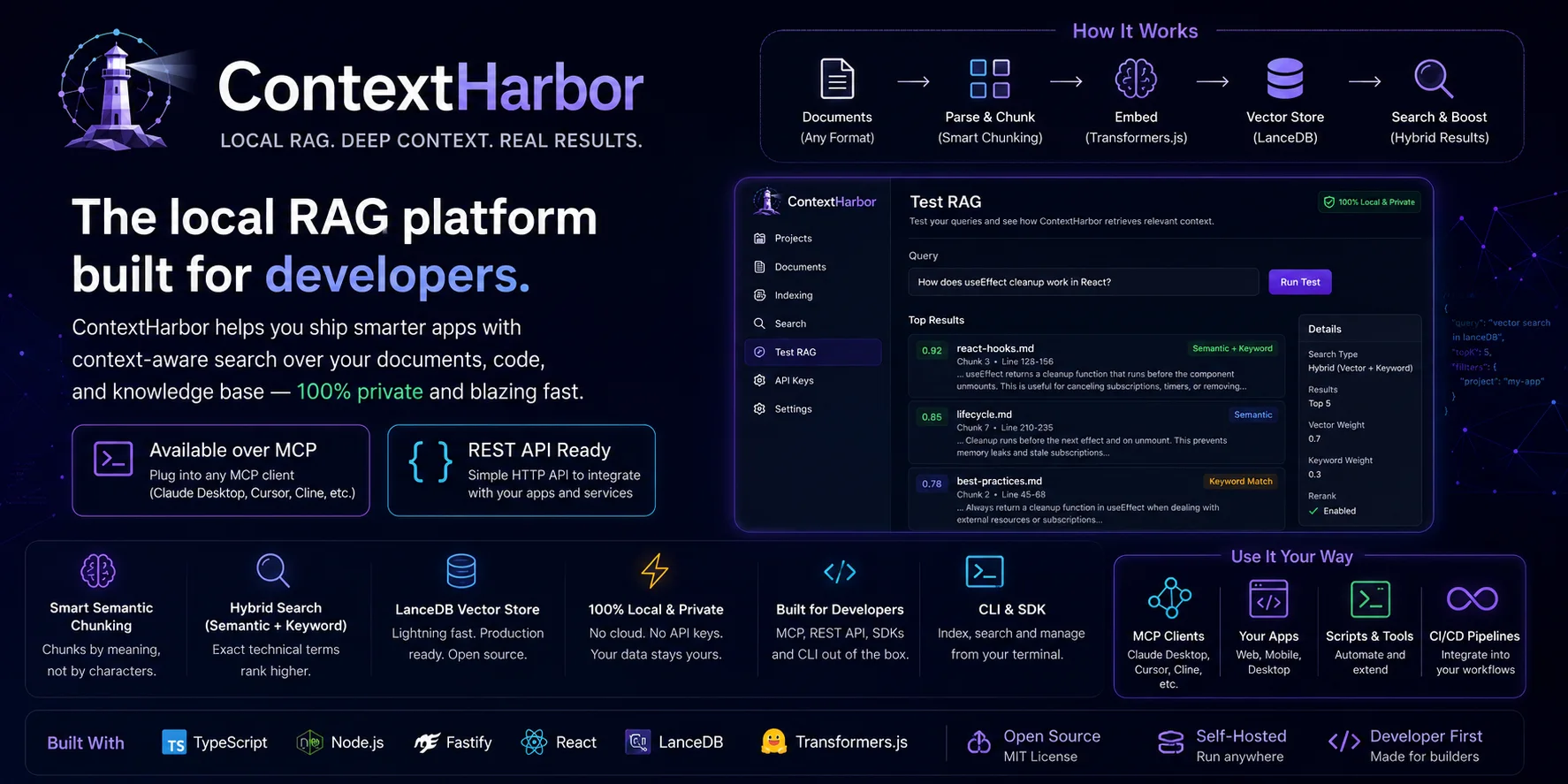
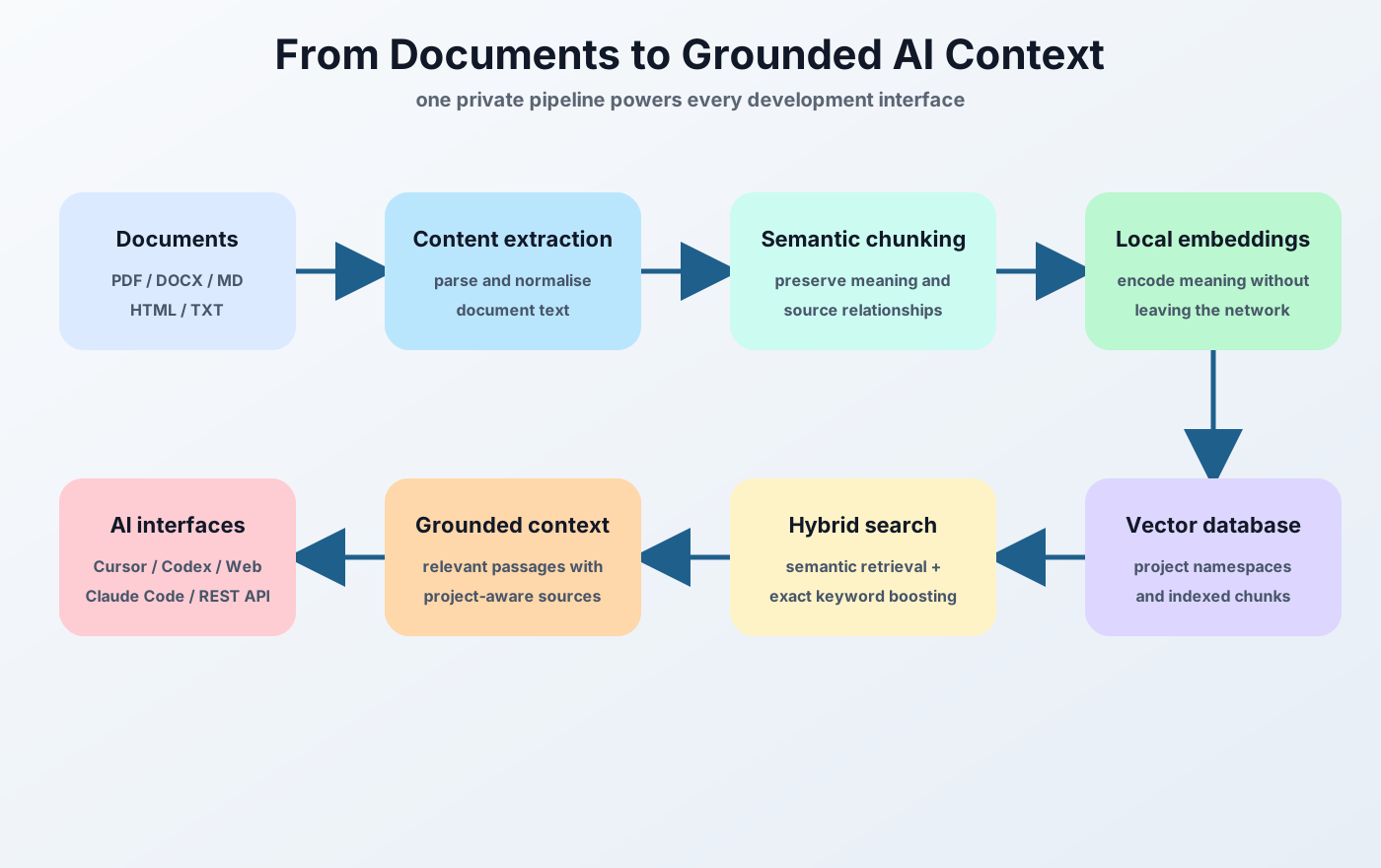
Private teams and growing organizations

Private knowledge for teams

Bring AI to your knowledge. Not the reverse.

Your knowledge stays private. Your AI stays informed.

ContextHarbor turns your documents and organizational knowledge into private, source-backed context for your team, applications, and approved AI tools, deployed on infrastructure you control.

  • ✅ Self Hosted
  • ✅ Source-backed retrieval
  • ✅ Project-scoped access
  • ✅ Commercial License
  • ✅ Pricing on request
Featured on Launchstag
ContextHarbor private knowledge platform for teams and growing organizations

Who is this for?

Built for private teams and growing organizations

  • Private teams
  • Growing organizations
  • Boutique consultancies
  • Engineering and product teams
  • Operational knowledge teams
  • Approved AI workflows

Private knowledge flow

A controlled path from documents to grounded AI.

The harbor boundary makes ingestion, retrieval, storage, and access visible as one system instead of a loose collection of tools.
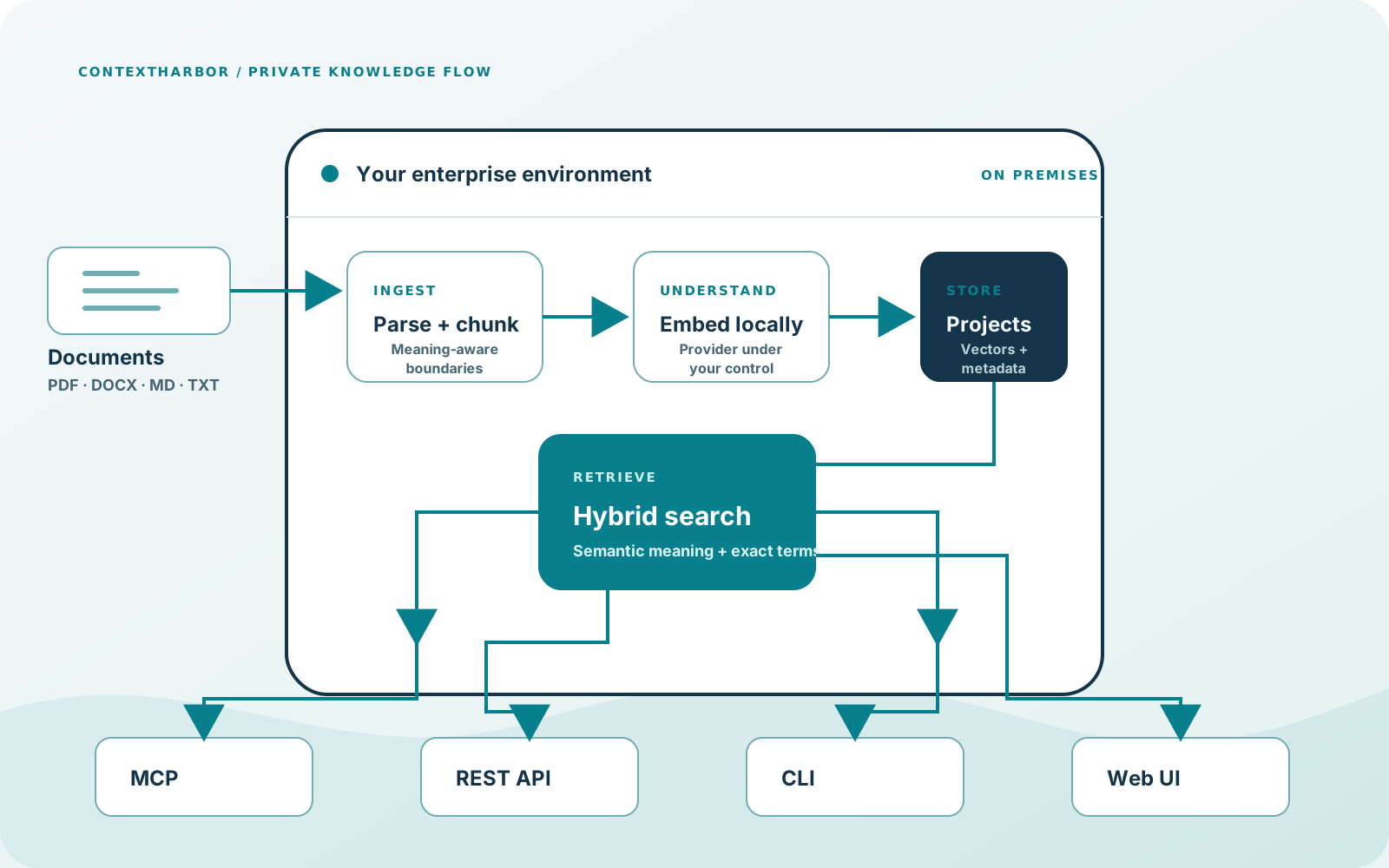
ContextHarbor private knowledge and memory architecture connecting document ingestion, hybrid retrieval, memory recall, MCP, REST API, and Web UI

Private knowledge promise

Control, precision, connection.

01

Keep knowledge inside

Run storage, parsing, embedding, and retrieval in the environment your organization controls.

02

Retrieve the exact context

Balance semantic meaning with exact-term matching, quality filtering, and optional reranking.

03

Connect approved workflows

Expose the same knowledge layer through the Web UI, REST API, CLI, Remote MCP, and stdio MCP.

Platform

A private knowledge platform your team can operate.

Start with project-scoped access and local retrieval. Add per-project enrichment, Streaming AI Answer, GitHub connectors, and administrator-approved external providers only when the workflow requires them.

One retrieval engine

Use the Web UI, REST API, CLI, Remote MCP, or stdio MCP over the same project-scoped retrieval engine.

Document types and tags

Classify uploads with controlled document types and tags, apply per-type chunking profiles, and optionally infer query filters when an organization LLM is configured.

Hybrid retrieval

Combine semantic and exact-term retrieval with relevance-gap filtering, optional cross-encoder reranking, useful boosts, and source-backed results.

Contextual enrichment and AI Answer

Use two-pass asynchronous enrichment: a static first pass keeps content searchable, while optional background LLM enrichment runs per project with progress visibility and fallback behavior. Streaming AI Answer generates an answer from retrieved project chunks and returns supporting sources.

GitHub connectors

Discover repositories and branches, scope a connector with an optional path prefix, and incrementally sync supported files through the normal Files and search pipeline.

RBAC and project access

Project namespaces, immutable embedding stamps, and scoped storage keep knowledge separate. Admin, manager, and viewer membership controls access, while MCP API-key ACLs limit remote MCP projects.

Provider control

Each project can configure its embedding provider, model, and dimensions; changing them requires reindexing. Built-in local embeddings are available, while administrators can enable OpenAI-compatible embedding and LLM providers. External providers process only deliberately submitted requests.

Observability

Prometheus metrics export operational counters. Hourly usage rollups group activity by surface, API key, and route or tool name. The admin Observability UI presents Harbor traces, error summaries, latency, access, freshness, and evaluations. Aggregate health remains available separately at GET /status.

ContextHarbor local retrieval pipeline from document-type chunking through hybrid search
Document-type profiles drive chunking and hybrid retrieval so answers match how each kind of document is actually used.

Why not build your own?

DIY RAG vs. ContextHarbor.

Building a RAG system requires decisions across ingestion, retrieval, access, operations, and integration. ContextHarbor provides those capabilities as a deployable product.

Implementation responsibilityContextHarbor
InterfacesDesign and maintain interfaces for each consumerWeb UI + REST API + CLI + Remote MCP + stdio MCP over one retrieval engine
Document handlingDefine classification, tagging, and chunking policiesControlled document types and tags with per-type chunking profiles and optional inferred query filters
Search qualityCombine retrieval methods, quality controls, and source presentationHybrid retrieval, relevance-gap filtering, optional reranking, boosts, and inspectable source-backed results
Project isolationImplement namespaces, access controls, and embedding scopingProject namespaces, immutable embedding stamps, scoped storage, memberships, and MCP API-key ACLs
ProvidersManage provider selection, project configuration, and external-processing boundariesPer-project embedding provider, model, and dimensions with required reindexing, plus administrator-enabled OpenAI-compatible providers
SetupDeploy, test, monitor, and maintain the retrieval stackGuided deployment through a single engagement

Retrieval transparency

See how your knowledge retrieval is performing.

ContextHarbor exposes operational and quality metrics so you can measure retrieval effectiveness, not just assume it works.

Prometheus metrics

Request counts, MCP tool call volumes, error rates by surface, and retrieval quality signals such as latency, top-1 score, score gap, and zero-result rate are exportable to your Prometheus monitoring stack.

Usage rollups

Hourly usage rollups by surface, API key, and route or tool name. They report counts and latency without attributing activity to projects.

Offline evaluation

Run Recall@5, Recall@10, and MRR benchmarks against gold-set evaluation files to measure retrieval quality before and after changes.

Runtime and status surfaces

The main dashboard shows in-flight requests, the high-water mark, and failed-call totals. Aggregate API, MCP, and Web UI health is available separately at GET /status. The admin Observability UI covers traces, errors, latency, access, freshness, and evaluations.

Product evidence

Real portal surfaces, not placeholder mockups.

These screenshots show the actual portal mechanics: dashboard, project workspaces, hybrid search, and MCP setup.

Deployment and control

Deploy where private knowledge belongs.

The deployment layer keeps data, access, and retrieval inside one controlled system.

Docker deploymentAll-in-one Docker release path for production deployments with remote MCP available alongside the API and Web UI.
PostgreSQL metadataStore users, projects, files, settings, and indexing jobs separately.
LanceDB vectorsKeep the vector store with the deployment boundary and project scope.
Authenticated accessProtect the portal, API, and remote MCP transport with issued credentials and scoped API-key ACLs.

Commercial engagement

Fit the platform to your environment.

Start with the boundary, the knowledge sources, and the workflows that need reliable retrieval.

PricingOn request

ContextHarbor

Give your team’s AI the context it needs, without surrendering control.

Start with your deployment boundary, knowledge sources, and the workflows that need reliable retrieval.

Request a consultationSee how it works