One endpoint, two runtime paths
Connect local coding tools and SDKs to one OpenAI-compatible base URL. GGUF models run through llama.cpp; SafeTensors models run through vLLM.
Open source · Rust · llama.cpp + vLLM
Run GGUF through llama.cpp and SafeTensors through vLLM behind one OpenAI-compatible endpoint. Your coding tools select a model; the switchboard manages the local runtime, process, and resident-model change.
Developer problem
Coding agents, embedding workflows, and SDK clients may need different local models. They should not each own a process, port, runtime command, and slice of constrained GPU memory.
Control plane
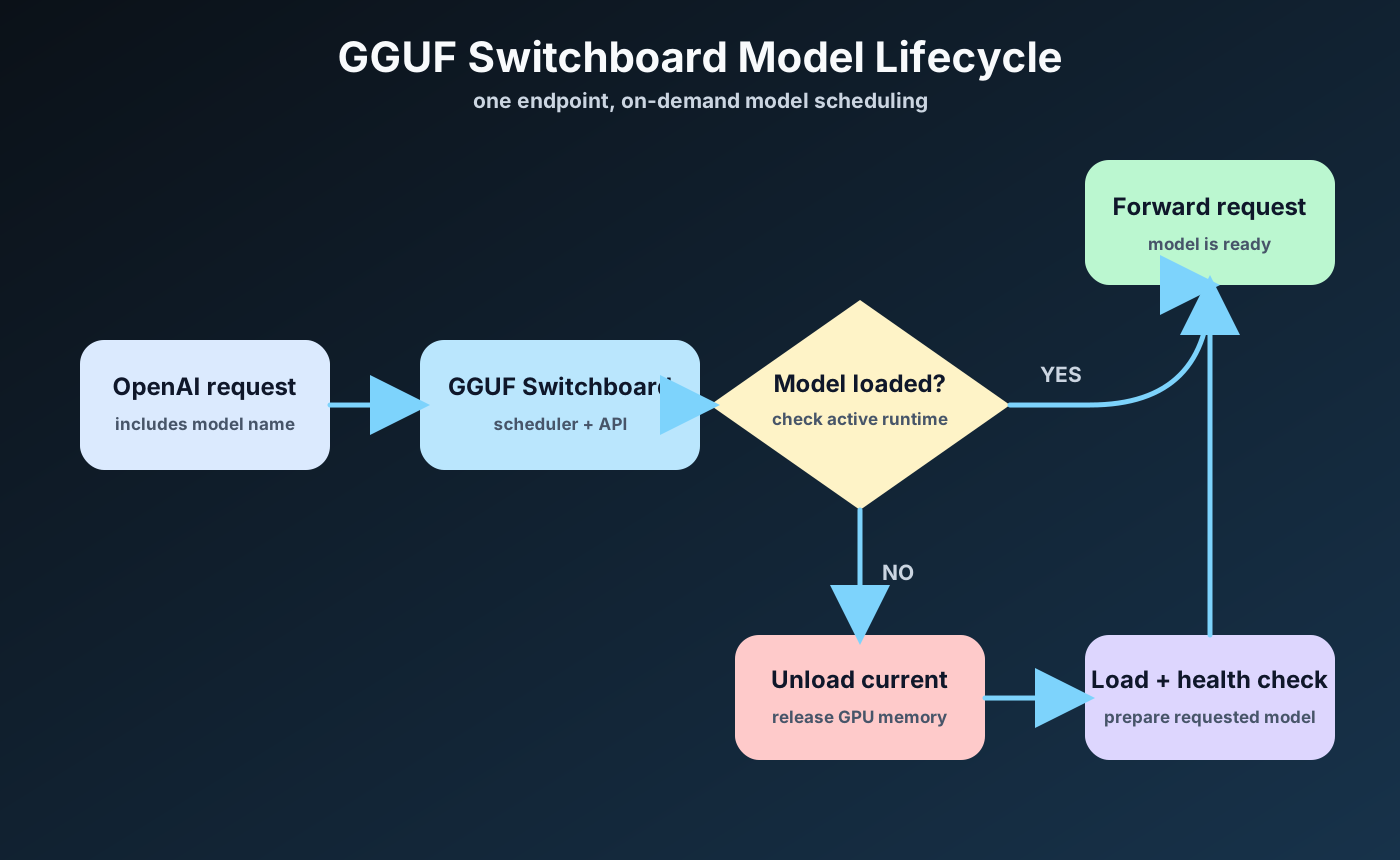
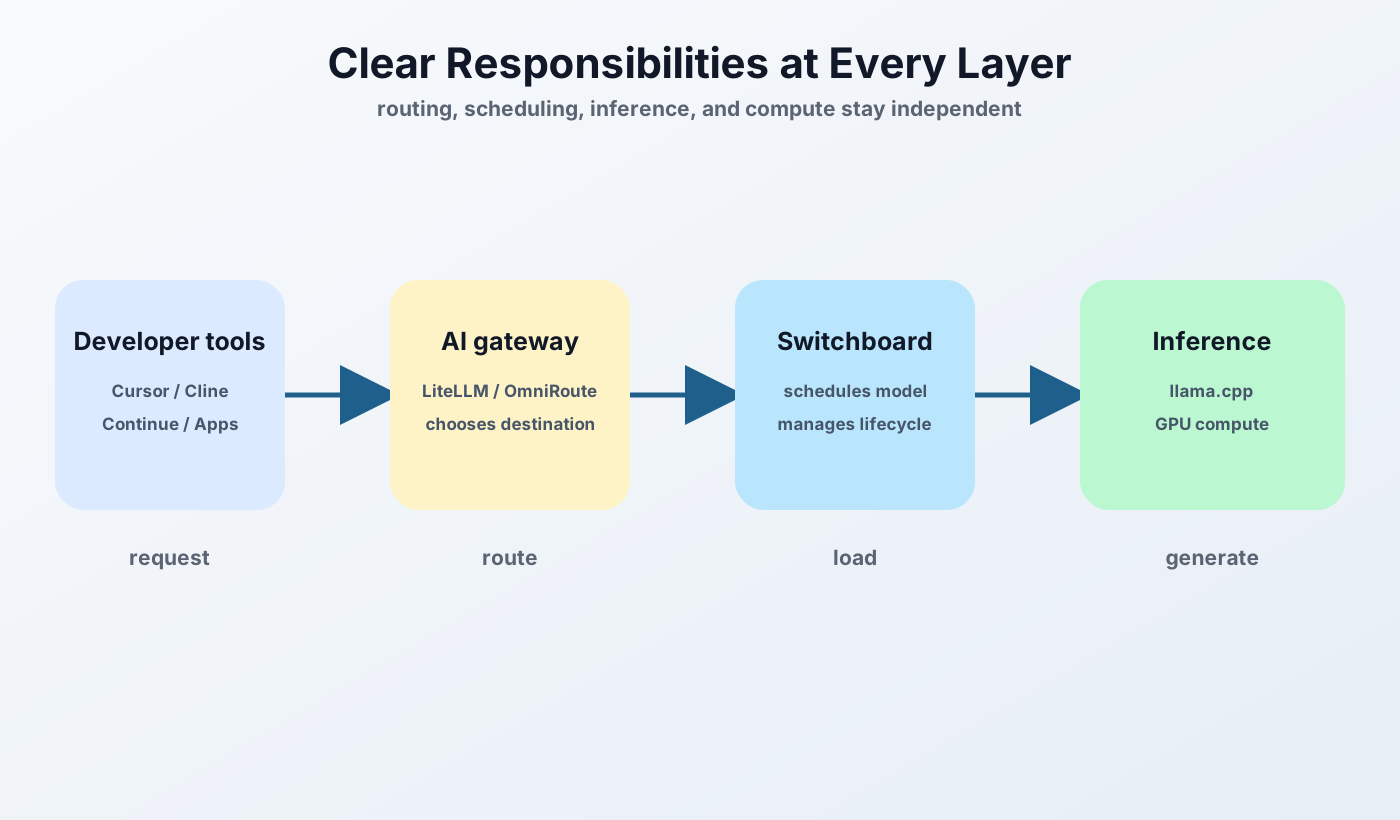
GGUF Switchboard combines runtime selection, model lifecycle, hardware-aware acquisition, load planning, and observable API behavior without becoming a cloud-provider router.
Connect local coding tools and SDKs to one OpenAI-compatible base URL. GGUF models run through llama.cpp; SafeTensors models run through vLLM.
Name a registered model in the request. The scheduler selects its backend, drains in-flight work when needed, changes the resident model, and keeps the client endpoint stable.
Search Hugging Face for GGUF or SafeTensors models and compare fit, speed, balance, and precision signals against detected hardware before downloading.
Estimate model, context, KV-cache, quantization, and runtime allocations before load. Bounded OOM fallback can retry with a smaller context after an OOM-class failure.
Use the Conformance Console and load-time probes to diagnose tool-calling and chat-template behavior before routing agent workloads to a model.
Use Swagger UI, health and model APIs, Prometheus metrics, portable model metadata, and persistent usage history to understand what the local service is doing.
Integrations
Use a normal OpenAI-compatible base URL, then follow the focused guide for your coding tool or SDK.
Configure OpenCode to use GGUF Switchboard as a local OpenAI-compatible provider.
Open OpenCode guideConfigure Cursor to use GGUF Switchboard as a local OpenAI-compatible provider.
Open Cursor guideConfigure Cline to use GGUF Switchboard as a local OpenAI-compatible provider.
Open Cline guideConfigure Continue to use GGUF Switchboard as a local OpenAI-compatible provider.
Open Continue guideConfigure OpenAI SDK to use GGUF Switchboard as a local OpenAI-compatible provider.
Open OpenAI SDK guideProduct evidence
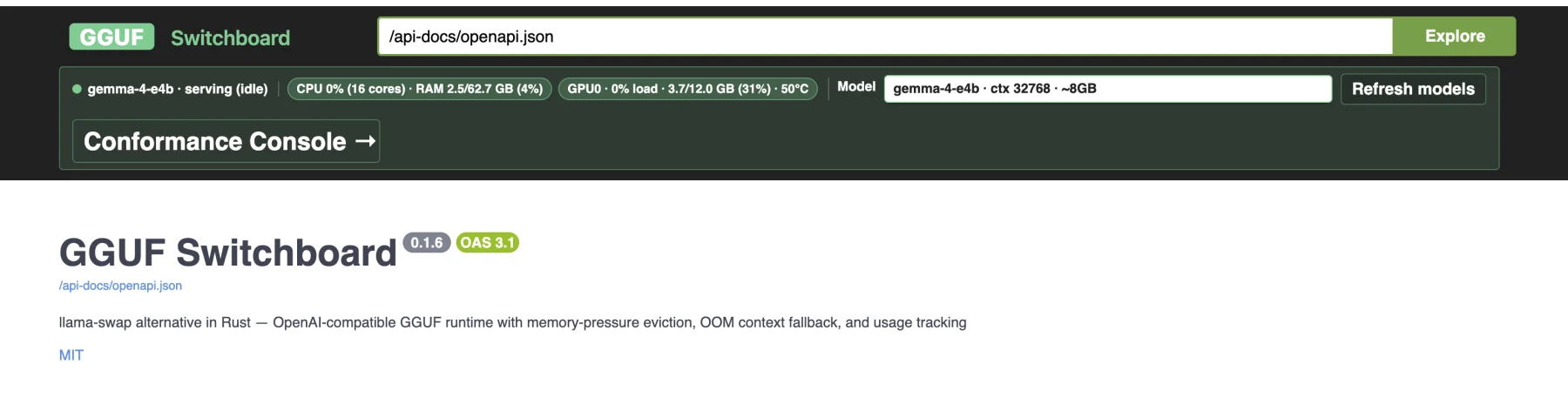
The live registry, API surface, and model state remain visible instead of disappearing behind a desktop wrapper.
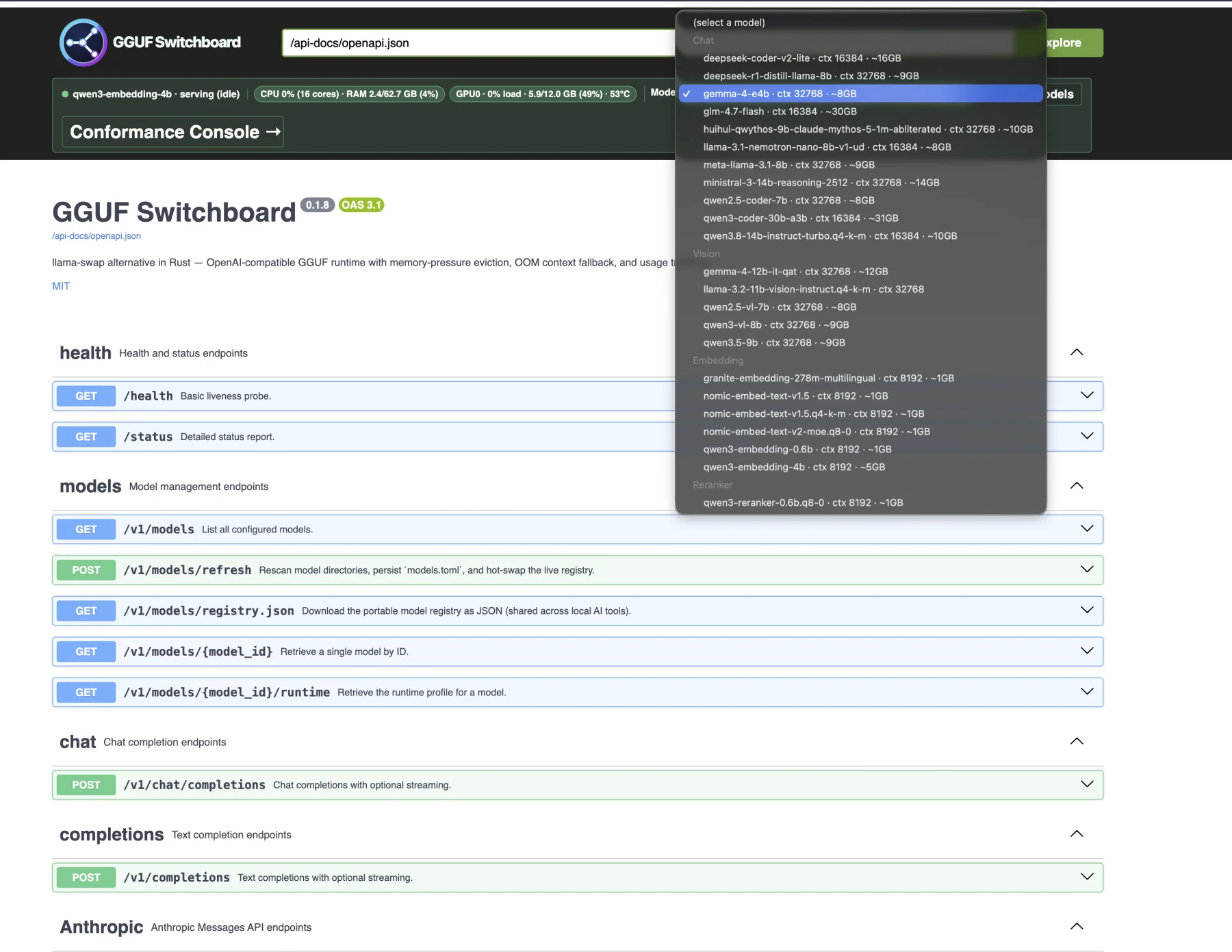

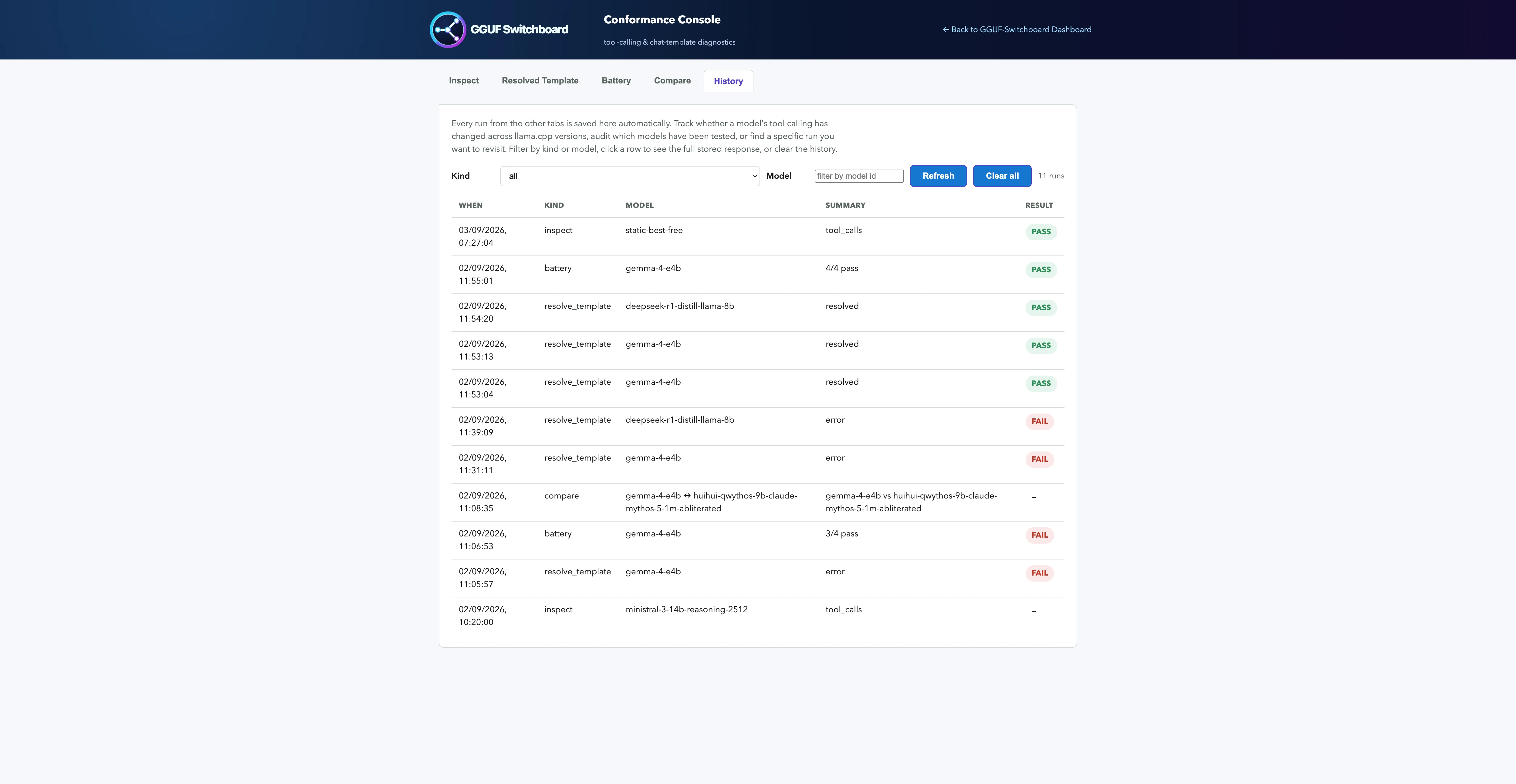
The Conformance Console sends controlled tool-call probes to a local or external OpenAI-compatible model, records the response, and shows whether the model and chat template produce usable function calls. It diagnoses tested tool-calling behavior; it does not certify universal API compatibility.
Operational boundary
Primary platform is Linux with NVIDIA GPUs and CUDA; macOS and Windows via WSL2 use separate guides.
Trusted LAN deployment only. There is no built-in authentication, so do not expose the service directly to the public internet.
Single slot keeps one model resident at a time; this is switching, not concurrent multi-model serving.
Estimated fit can still fail because context, KV cache, quantization, and runtime allocations vary.
Quick setup
The primary Linux path installs both supported engines. Follow the platform guides for macOS or Windows through WSL2.
git clone --branch main https://github.com/pradeepgudipati/gguf-switchboard.git
cd gguf-switchboard
./deploy.sh
Open source
Install the switchboard, then connect your coding agent or SDK with the focused integration guide.