Running one local language model is easy. Running six of them is an operations problem.
The moment my home lab had more than a single model — a coding model, a general chat model, an embedding model, a vision model — inference speed stopped being the thing I thought about. My attention went to llama-server processes instead: which port each one was on, which one was still holding GPU memory, and whether I had remembered to stop Qwen before loading Gemma. The models themselves worked fine. Managing them had quietly become the job.
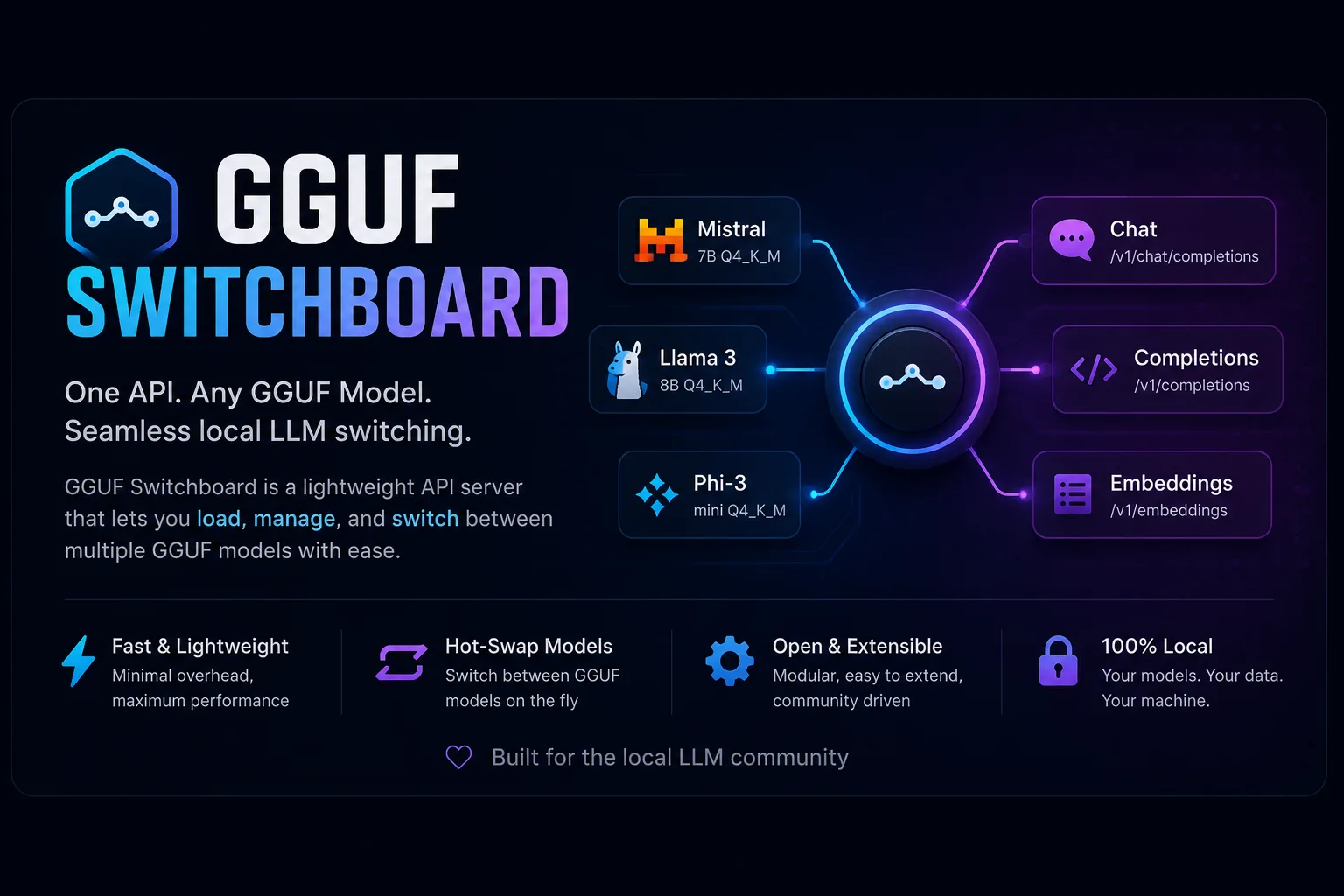
So I built GGUF Switchboard: a small Rust service that sits in front of llama.cpp and treats models the way a scheduler treats workloads. You ask for one by name. It works out what has to be loaded, unloaded, or evicted to make that happen.
The Problem
Most local AI tooling solves inference. Very little of it solves model lifecycle.
A typical session used to look like this. Start llama-server with Qwen on port 8081, point Cursor at it, do some work. Stop it — because the GPU memory is not going to free itself. Start Gemma. Realise an indexing job needs an embedding model too, and that there isn't room for both. Stop Gemma. Wait while the next set of weights pages in from disk. Repeat, several times a day.
None of that is difficult. All of it is friction, and it compounds: the more models you keep around, the more of your day goes into being a human scheduler for your own GPU. Worse, the friction starts shaping your behaviour. I noticed I was avoiding the vision model simply because switching to it was annoying enough to not feel worth it. That's a bad reason to not use a tool you already have.
I wanted the machine to do this job, because it's exactly the kind of job machines are good at.
The Idea
Kubernetes settled a version of this argument years ago. You don't tell it which node runs your container. You declare what you want, and the scheduler works out placement, eviction, and restarts.
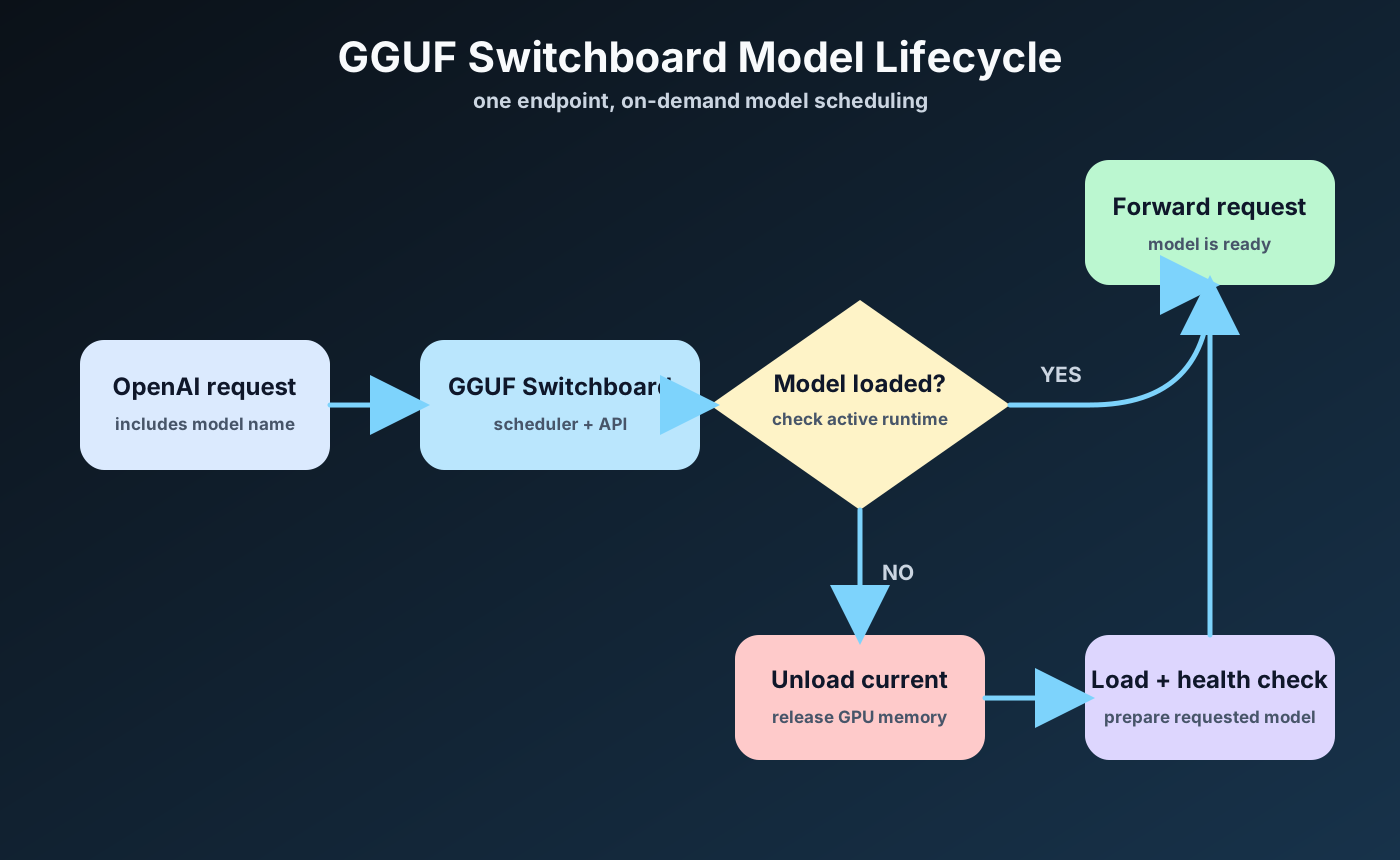
Local models deserve the same contract. An application shouldn't know or care whether a model is currently resident in GPU memory. It should send an OpenAI-compatible request naming the model it wants, and the runtime should handle the rest — check whether it's loaded, free memory if it isn't, start the process, wait for it to report healthy, then forward the request.
From the caller's side, that's the entire API:
curl http://localhost:9090/v1/chat/completions \
  -H "Content-Type: application/json" \
  -d '{
    "model": "gemma-4-e4b",
    "messages": [{"role": "user", "content": "Write binary search in Rust."}]
  }'
The interesting part is what happens when gemma-4-e4b isn't loaded. The request still succeeds. GGUF Switchboard evicts whatever is currently holding the GPU, spawns llama-server with the right flags for that model, waits for it to pass a health check, and proxies the call through. The client sees a slower first response and nothing else. No 503, no "model not found", no second endpoint to configure.
Declaring a model is deliberately boring:
[[models]]
alias = "gemma-4-e4b"
file = "gemma-4-E4B-it-Q4_K_M.gguf"
kind = "chat"          # chat | coder | vision | embedding
priority = true        # reload this one when the GPU goes idle
There's a discover-models command that scans a directory of GGUF files and writes that registry for you, so adding a model is usually a download followed by a rescan.
The Model Switcher
From the application's perspective, every model is always available at a single endpoint. Choosing a different one means changing a string in the request body — nothing else. Point Cursor, Cline, or Continue at http://localhost:9090/v1 once, and the model dropdown simply works.
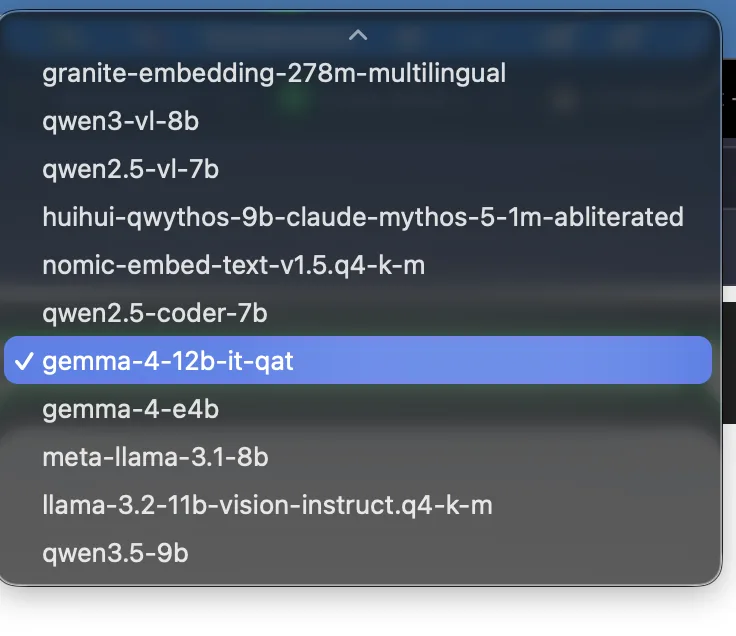
Behind the scenes, only one model occupies GPU memory at a time. The illusion that everything is always up is doing real work here — it's what lets a tool reach for an embedding model mid-task without anyone writing orchestration code to allow it.
Why Existing Tools Weren't Quite Enough
The local AI ecosystem already has excellent projects, and I looked hard at all of them before writing another one.
| Tool | What it does well | Where GGUF Switchboard differs |
|---|---|---|
| Ollama | Simple local model management | Idle unloading is TTL-based rather than scheduler-driven |
| llama.cpp | Maximum control and performance | You manually manage processes and ports |
| llama-swap | Dynamic model swapping across OpenAI-compatible backends | GGUF Switchboard adds memory-pressure eviction, OOM context fallback, automatic priority models, built-in usage history, and Swagger UI |
| LocalAI | Multi-backend local AI platform | Not designed around proactive GPU memory scheduling |
| LiteLLM | API routing, retries, and fallbacks | Routes requests but doesn't manage local model lifecycle |
| Open WebUI | Excellent user interface | Relies on another backend to perform scheduling |
The closest project is llama-swap, and in a lot of situations it's the better choice — it supports more backends than I ever intend to.
The difference is focus. llama-swap is built to swap models across many backends. GGUF Switchboard is built for one specific, unglamorous case: a single consumer GPU that doesn't have enough memory, running llama.cpp, on a developer's own machine. Narrowing the target that far is what makes the next section possible.
What Makes It Different
The scheduler doesn't just swap models. It actively manages a machine that is permanently short on memory — which is the real condition of every home lab I've ever built.
It sizes context to the card it's running on. The defaults assume a 12 GB GPU, and context length is derived from that budget together with the model's file size and kind. At vram_gb = 12, an embedding model gets 8192 tokens, an 8B chat model at Q4 gets 32768, and a 30B MoE gets 16384. You can override context_size per model whenever the heuristic guesses wrong, but the point is that you shouldn't have to hand-tune -c for every file you download.
It recovers from out-of-memory instead of failing. Anyone running local models knows the CUDA OOM crash on load: you asked for a context window your card can't back, and llama-server dies on startup. GGUF Switchboard catches that and retries at a reduced context size, walking down to a floor you set:
vram_gb = 12
idle_timeout = 600            # seconds before the priority model reloads
context_fallback_min = 8192   # never retry below this
A model that would have crashed comes up slightly smaller instead. That one behaviour removed most of my remaining manual fiddling.
It watches system RAM, not just VRAM. Configurable warning and critical thresholds trigger eviction before the host starts swapping, because a machine that's thrashing is worse than one that unloaded a model you weren't using anyway.
It keeps your favourite model warm. Mark a model priority = true and it reloads automatically once the GPU has been idle past idle_timeout. The model you use most is ready when you come back to the keyboard.
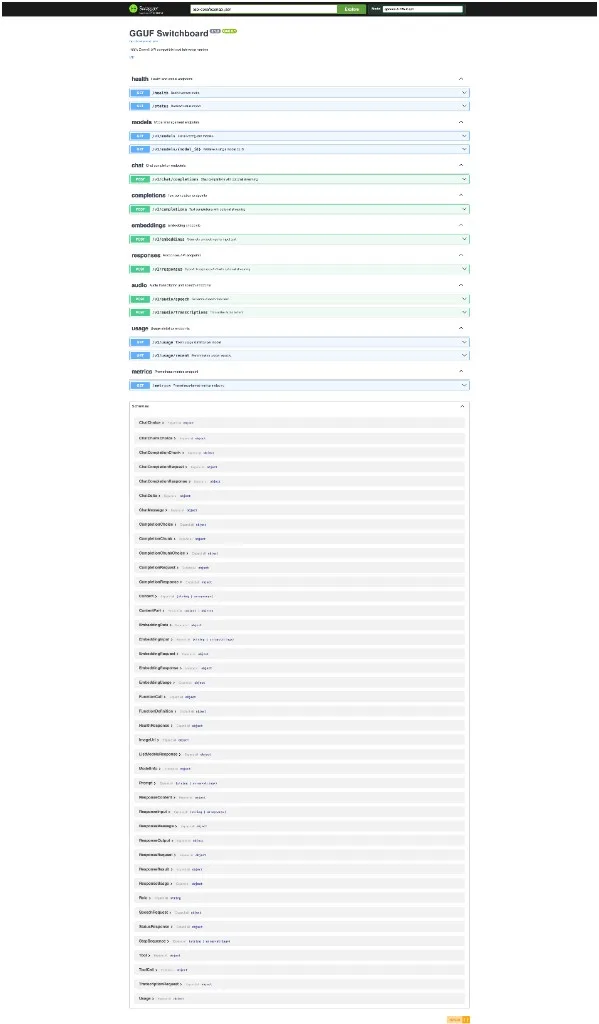
It tells you what it's doing. Prometheus metrics cover request counts, inference latency, cold-start load latency (gguf_switchboard_model_load_latency_seconds), and backend health. Token usage lands in SQLite and is queryable at /v1/usage. A Swagger UI at /swagger-ui/ lets you poke at any of it without writing a client first.
Individually, none of these are exotic. I just couldn't find them together in one place, aimed at one GPU.
Separation of Responsibilities
One design decision I'd defend: each layer does exactly one job.
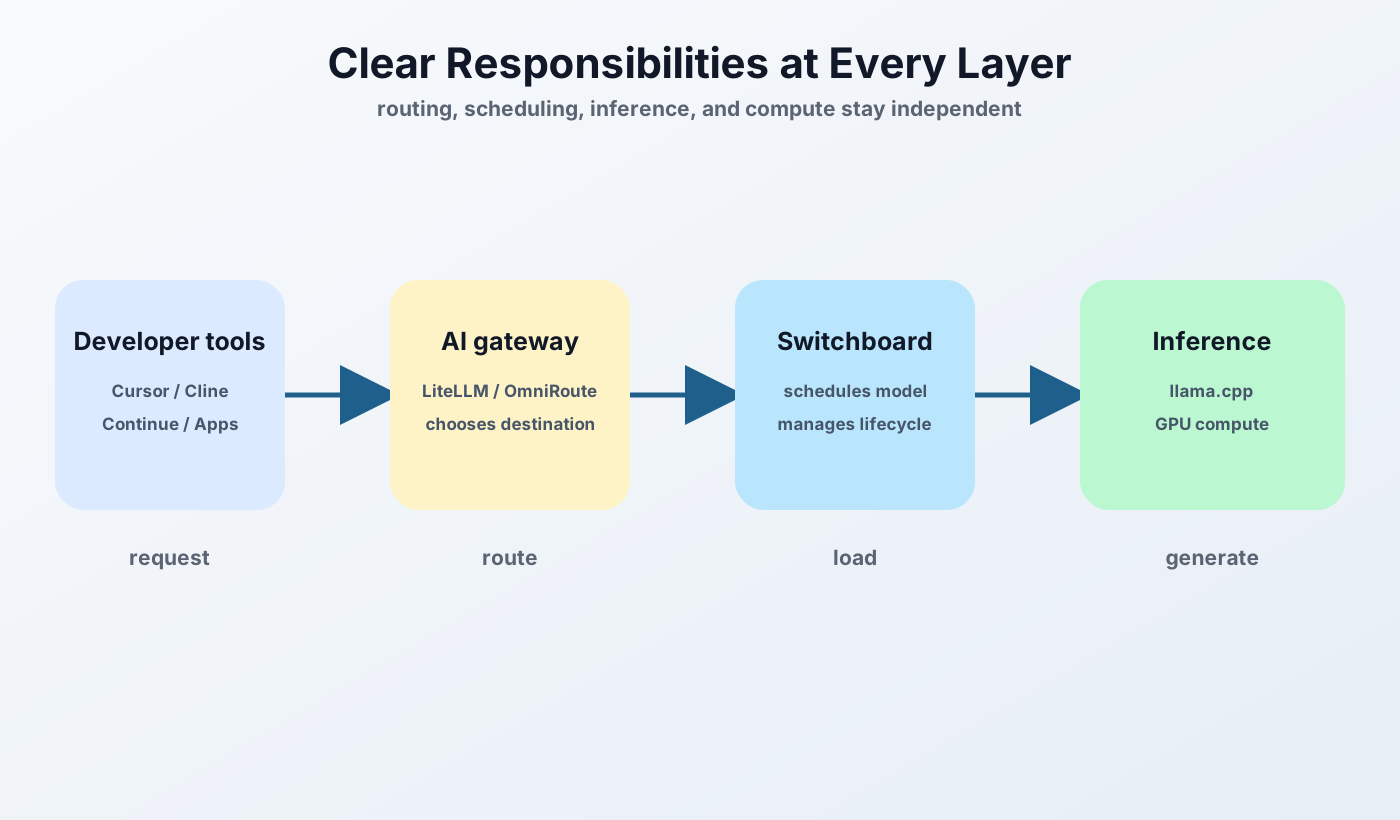
LiteLLM or OmniRoute decides where a request should go — local or cloud. GGUF Switchboard decides which local model should be running. llama.cpp performs inference. The GPU does what it does best.
That boundary is why the system stays replaceable. If something better than GGUF Switchboard turns up next year, it swaps out without touching the routing layer or the inference layer, because it never knew about either of them in the first place. Local AI tooling moves fast enough that designing for your own component's obsolescence is just realism.
Why I Open Sourced It
This started as a personal fix. I wanted a cleaner way to run several GGUF models on one GPU, and I was tired of being the scheduler.
Once it had been running reliably for a while, the reasoning got harder to keep to myself. The constraint I was solving for — one consumer GPU, too many models, not enough memory — isn't unusual. It's the default condition for most people building a local AI setup. If you're already using OpenAI-compatible tools, you shouldn't have to think about processes, ports, or which model happens to be resident right now. You should pick a model and let the runtime deal with it.
It's MIT licensed, there's a prebuilt Linux binary, and it builds from source with cargo build --release if you'd rather.
View GGUF Switchboard on GitHub.
This article documents the early llama.cpp architecture. Read the GGUF Switchboard case study for the broader product story, including the separate GGUF and SafeTensors runtime paths.
The Rest of the Series
- Part 1 — Why I Stopped Treating AI as a Cloud Service
- Part 2 — GGUF Switchboard: Bringing Kubernetes Thinking to Local LLMs
- Part 3 — Operating an AI Platform
- Part 4 — Local Project RAG: Giving AI the Context It Actually Needs
- Part 5 — The AI Platform I Use Every Day